
If tokens are the keys to the Slack platform, then token rotation decides how long each key stays valid. With Halloween around the corner, it’s a fitting time to dust off your app’s token store, see which old credentials have been lurking in the shadows, and meet the feature built to keep your keys from becoming skeletons: app-level token rotation.
App-level tokens, both static and ones you can rotate, represent your app across organizations and installs. They give you the ability to manage things that relate to your app as a whole, rather than on the level of the individuals or bots that use it. In your app, these tokens begin with the xapp- string. Rotating app-level tokens begin with xoxe.xapp- and work anywhere the xapp- tokens do.
Rotating your tokens is a smart move whenever your app — or the organization installing it — wants tighter credential management. For example, a customer in a regulated industry might need to meet SOC 2 requirements, where auditors expect credentials to be short-lived and refreshed on a regular cadence. A static token that never expires is exactly the kind of skeleton that turns up in the closet during an audit.
With rotation, there’s nothing lurking to find: every token expires on a twelve-hour schedule. It also uses the same token rotation model as bot and user tokens and includes a refresh token that keeps any open connections from an early demise.
Before you turn token rotation on, there are a few things worth noting. First, rotation can’t be turned off once it’s enabled, so make the change deliberately. Be sure to test your changes in a development environment before enabling token rotation in production. Your app must also use granular permissions and not be a workflow app.
App-level token rotation is enabled in the Token rotation section within the App-Level Tokens area of your app settings.
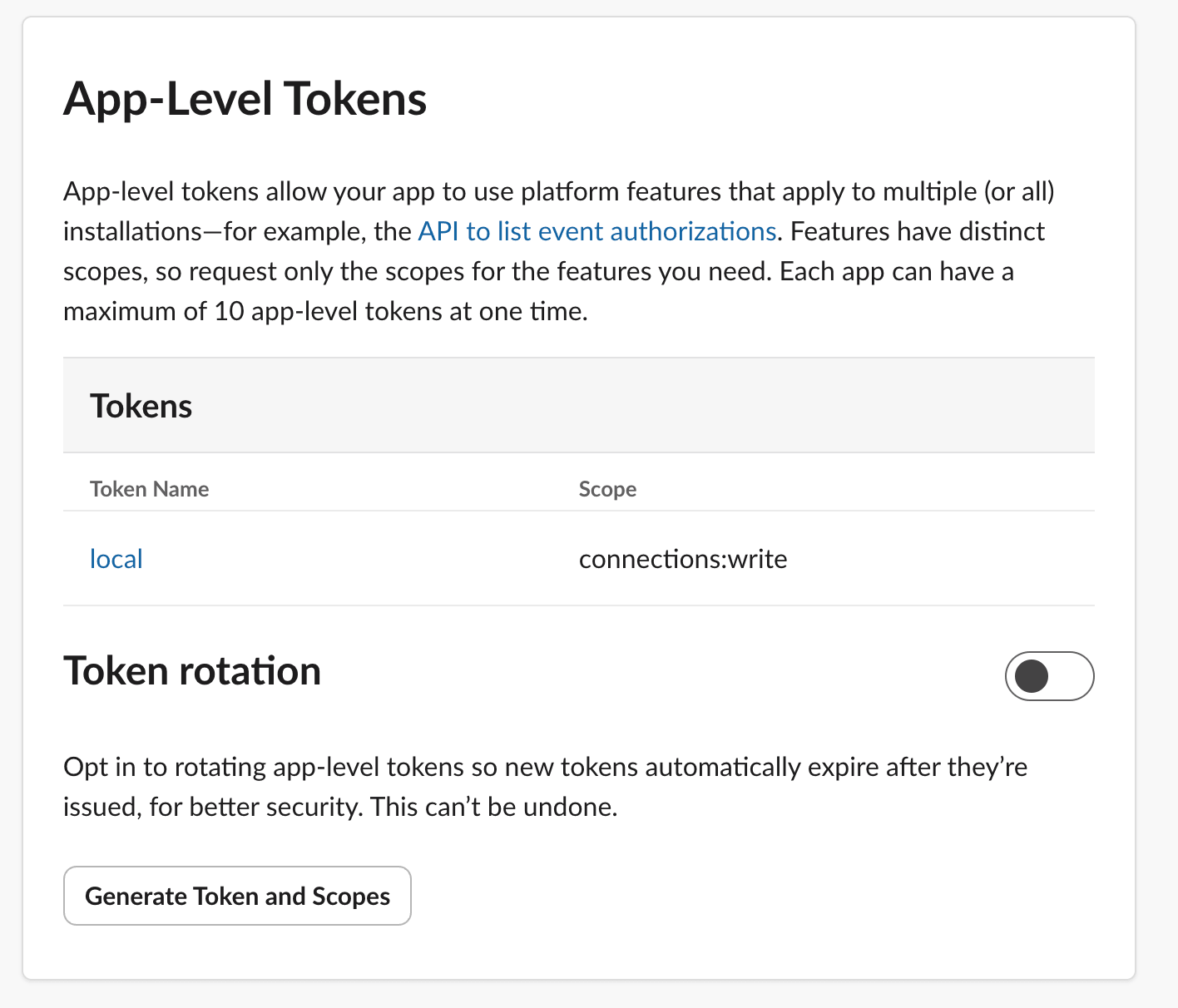
Token rotation can also be turned on in the manifest by setting app_level_token_rotation_enabled to true. It is enabled per app, not per workspace.
Another thing to note is that app-level tokens created before you enable rotation keep working exactly as they did, only tokens created afterward rotate. If you build on Bolt, rotation is handled for you automatically since every flavor of Bolt supports it. If you’re not using Bolt, check out the docs on exchanging a long-lived access token.
Additionally, both the access and refresh values are shown only once, at the moment of creation. After that, you can view a token’s name, scopes, and expiry, but not its value. If you lose a value, there’s no way to recover it and you will have to create a new app-level token.
Rotation keeps your token store from filling up with skeletons: credentials expire on a schedule, so nothing lingers in the dark long enough to come back and haunt you. For the full picture, see the app-level rotation docs and our step-by-step guide to using token rotation.