
Organizing everything I need to do for the holidays can be stressful. There’s so much to do and so much to organize and my processes have become increasingly complex. Sometimes it’s too much to handle and in desperation, I’ve even asked Santa to lend me his elves. So far he hasn’t gotten back to me.
Thankfully I think Slack is better than Santa.
About five years ago, Slack released a no-code automation tool called Workflow Builder to help builders, admins, and developers create workflows. I’ve used workflows to set up incident triage, create canvases for weekly team check-ins, and submit kudos to recognize my colleagues for their awesome work.
I love workflows because I can use them to automate tasks I want to do but also don’t have time to do every single time. When automation helps me integrate into the tools I use every day, it reduces the cognitive load of having to switch apps for everything. It also reduces the number of processes I have to perform or maintain, which means I can focus better on the work I love to do.
Awesome, right? Well what if automation could be more awesome and make my life even easier?
Let me introduce conditional branching.
As a software developer, I’m used to conditional branching in the format of `if/then`. A lot of software relies on a “if this thing, then do that thing or if the other thing, do this thing”.
You could say a majority of code could be boiled down to “well, it depends.”
So having a way to add “it depends” to a workflow has always been something I’ve wanted. Not just because I am familiar with that way of creating processes, but also because it gives me so much more freedom to make more flexible workflows.
For example, sometimes I want workflows to perform actions that depend on certain conditions. Let’s say I’m organizing an office potluck via a workflow sign up sheet. Before, I would have to have made it pretty linear:
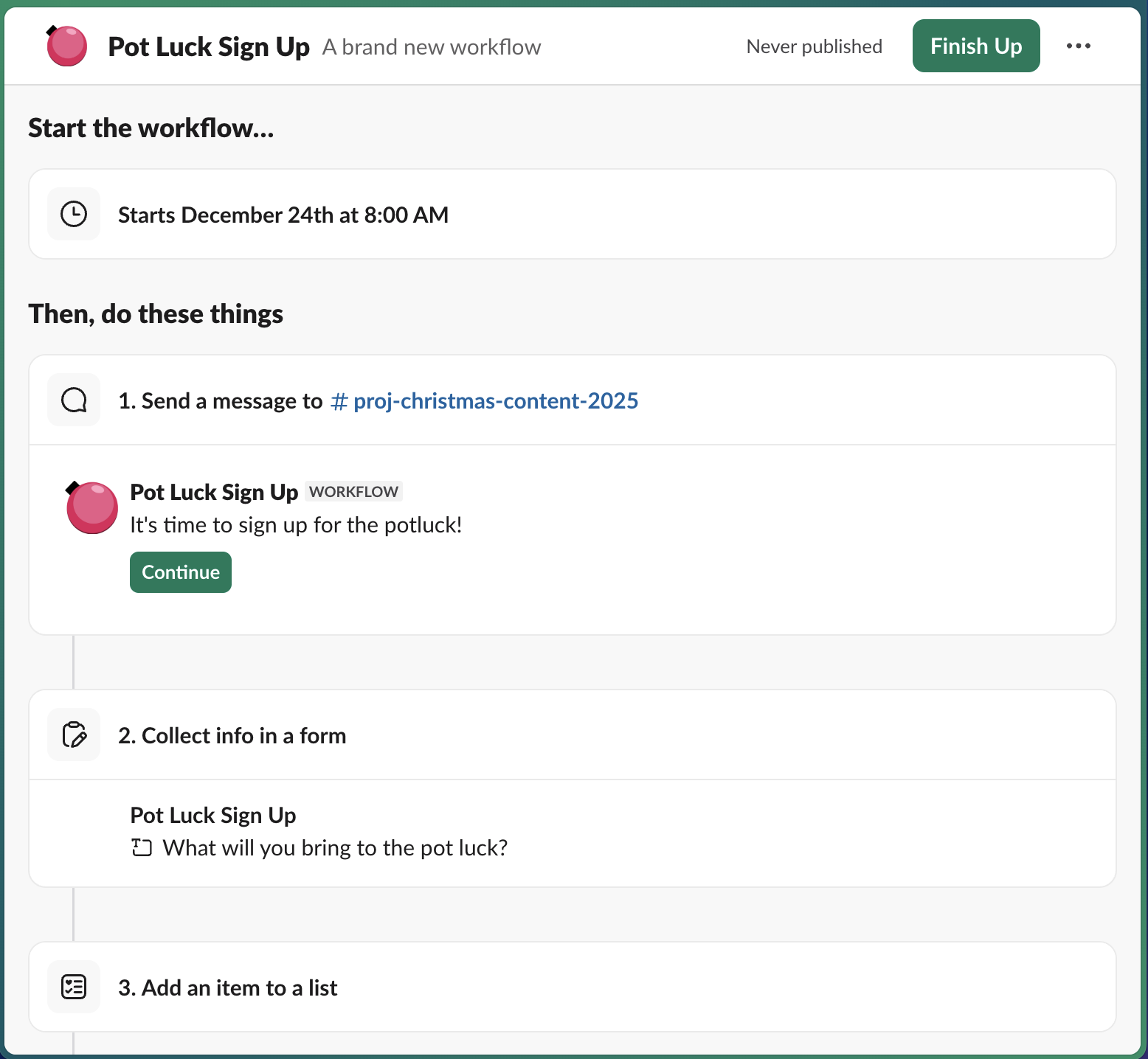
This is good, but what happens when we end up with 90% desserts and 10% cutlery? Sugary chaos with spoons, that’s what.
Now Workflow Builder has conditional logic, which means I can create a sign up sheet that is more flexible and adaptive. With a branching workflow, I can set it up so that they can select a category of food they want to bring, then in that category, I can have them pick a general type. Then after they’ve selected that, the information can be added to a list. Conditional branching also gives me more control over variables and makes it easier to fine tune the tasks I’m automating.
This leads to a much more balanced meal, with enough drinks and silverware for everyone.
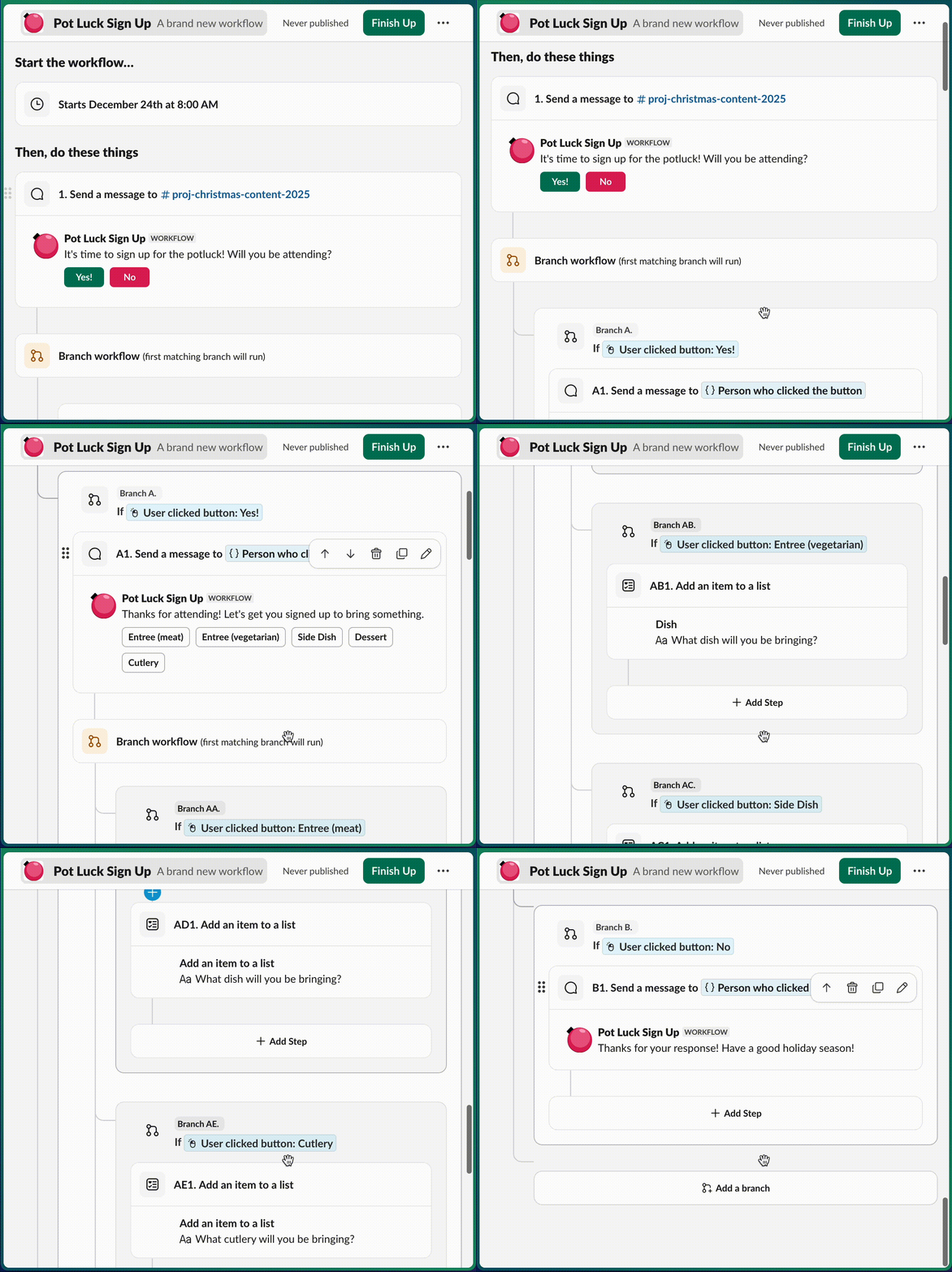
Conditional branching not only makes my office sign up sheets less sugary but also helps me create workflows that adapt with my needs. With this feature, I don’t have to write code to create processes that rely on prerequisites or depend on outside requirements. Instead, I can use Workflow Builder to create processes with better automation, improved customization, and advanced triaging. It also makes it easier for builders and admins to create complex workflows tailored to their specific needs, no coding required.
The best part is that by branches to my workflow, I can create processes that will save me even more time. Starting with 5 options gives me an amazing amount of flexibility. If I want to get really detailed, I can nest up to 5 additional branches beneath each of those branches (like a Christmas tree!).
This way I can tailor my workflows to be more accurate, more timely, and more efficient, no matter whether I’m planning an office party or creating a triage tool for incident management.
It may not help me better manage my personal holiday planning, but it can definitely make my job easier at work. I wonder if it would help Santa with his lists too. That workflow would be easy to set up, right?
Santa, if you’re reading this, call me. Let’s talk.