
Searching for information shouldn’t mean juggling multiple browser tabs and internal tools. You’ve already connected your most-apps like Google Drive, Asana, Box, to be searchable alongside your messages and files in Slack. But what about those internal sources of knowledge that have been out of reach? Your internal wiki, self-hosted JIRA instance, or custom knowledge base? Introducing Search Custom Connectors, our new API that extends Slack’s native search to any data source your organization uses. Custom systems, on-premises tools, specialized databases – all of these high-value repositories are now searchable right from Slack.
The Enterprise Data Challenge
Enterprise organizations rely on more than just off-the-shelf SaaS applications. They build custom systems, self-host instances of popular services for compliance reasons, and maintain critical data behind firewalls. While Slack enterprise search already supports connectors for services like Google Drive, Microsoft 365, Salesforce, Confluence, and more, there’s been no way to surface data from your organization’s unique repositories.
Enterprise search custom connectors closes this gap.
Introducing Search Custom Connectors
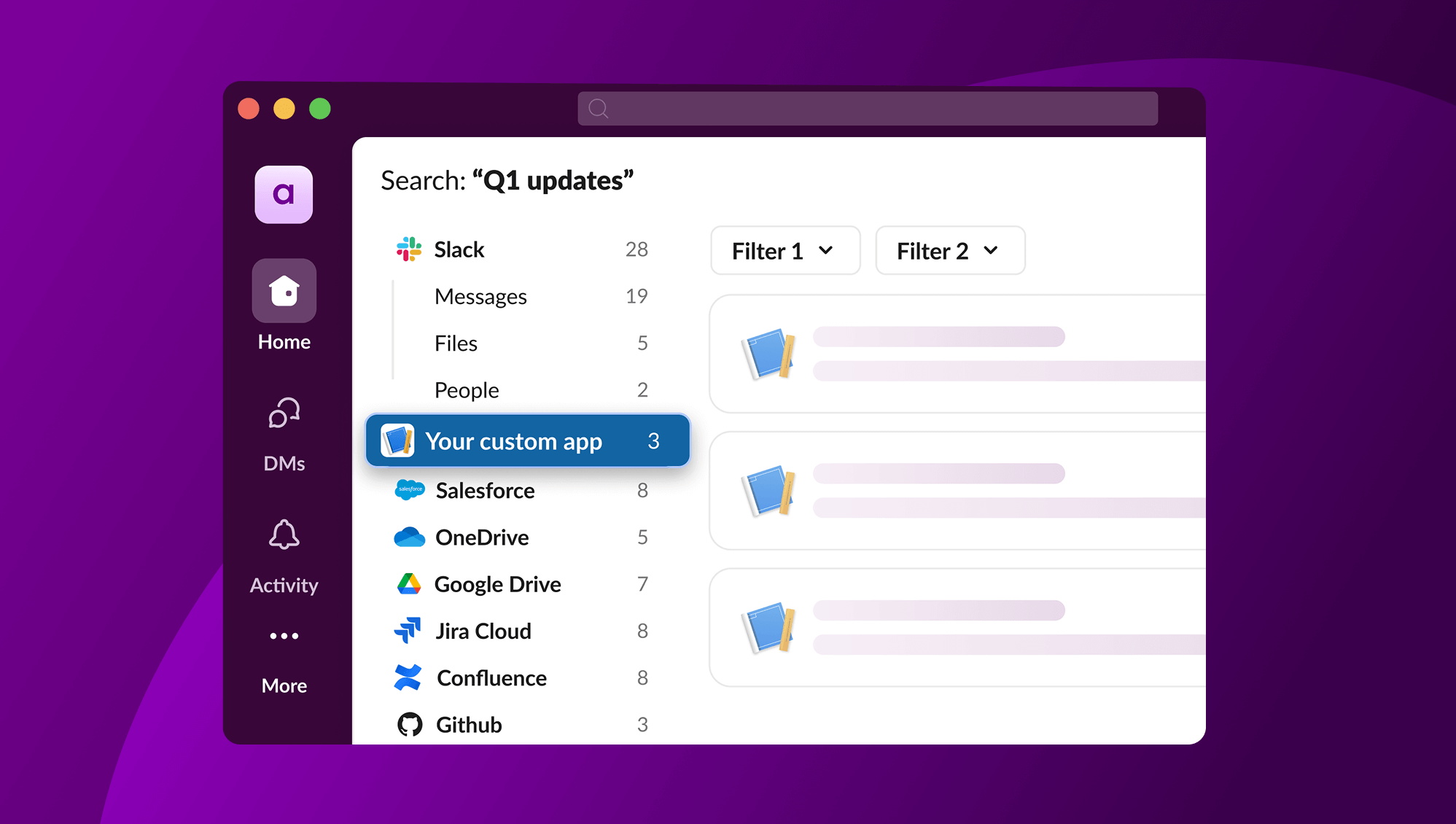
Search Custom Connectors is an API that lets you build custom search integrations using the Slack platform and Bolt SDKs. When users search in Slack, your connector queries external systems and returns results that appear alongside messages, files, and data from other connectors all in Slack’s native search interface.
Key capabilities:
- Any data source: Connect internal tools, self-hosted services, on-premises databases, or any system with a searchable API
- Native search experience: Results appear in the same interface users already know, and know how to search
- AI-powered features: Custom connector data can be leveraged by native AI features like AI Answers, extending the value of your search results beyond simple discovery
- Enterprise-grade security: Data stays behind your firewall while remaining searchable through Slack’s zero-copy architecture
This security model is particularly important for organizations with strict data residency requirements. Your sensitive data never leaves your infrastructure, but your team can still find it when they need it.
Real-world Use Cases
Internal knowledge bases
Connect home-grown documentation systems, wikis, or knowledge repositories. If your organization has built custom tools to store processes, runbooks, or institutional knowledge, those resources now become searchable in Slack.
Self-hosted services
Many enterprises run self-hosted versions of popular tools like JIRA, GitHub, or Confluence for security or compliance reasons. Custom connectors bring on-premises data into Slack enterprise search without compromising your data security.
Multiple instances
Organizations often run separate instances of the same service for different teams or regions. Custom connectors can aggregate results across multiple instances, providing a unified search experience.
Specialized third-party tools
Connect niche services without official Slack connectors—data catalogs, industry-specific platforms, specialized databases, or any tool with a search API.
How It Works
Building a search custom connector involves three main steps:
1. Define your search function
In your app manifest, declare a search function with optional filters. Specify input parameters like the search query and any custom filters specific to your data source.
2. Implement your search handler
Use Bolt for JavaScript, Python, or TypeScript to handle search requests asynchronously. Your handler receives the search query, queries your external system, and formats the results for Slack.
Here’s a basic implementation in JavaScript:
app.function("search_internal_wiki", async ({ inputs, client }) => {
const { query } = inputs;
// Query your external system
const results = await yourWikiAPI.search(query);
// Format and return results
return {
outputs: {
results: results.map(item => ({
title: item.title,
url: item.url,
snippet: item.description
}))
}
};
});
3. Return formatted results
Your connector returns results that Slack renders natively complete with titles, snippets, URLs, and optional highlighting to show where search terms appear.
Advanced Features for Devs
Custom step for search results
Leverage a custom step in your Slack app to listen for search queries and respond with formatted results, giving you full control over the search experience.
User authentication & connection flows
Require users to authenticate before searching, ensuring proper access controls. Users connect their accounts through your custom flow, and you can verify connection status before processing searches. This maintains the same permission model as your source system.
Custom filters
Allow users to refine searches with parameters specific to your data source by date range, department, project, document type, or any dimension that makes sense. Define filters in your manifest, and Slack renders them as dropdowns in the search interface.
Work Objects integration
For richer results, integrate with Work Objects to provide detailed previews when users click on search results. This creates a seamless experience for accessing detailed information from your external system.
Bolt framework support
Whether you work in JavaScript, Python, or TypeScript, Bolt provides a straightforward implementation path with built-in request handling, payload validation, and security features.
Getting Started
Search Custom Connectors is available from January 28, 2026 for workspaces on Slack Enterprise + plans.
To build your first connector, you’ll need
- Enterprise search enabled for your workspace
- Ability to develop and deploy Slack Apps
- A search API endpoint in your external service
- An authentication mechanism for your external service
We’ve created comprehensive resources to help you get started quickly:
- Custom Search Connector Quick Start Guide
- App Templates for Bolt JS (TypeScript) and Bolt Python
- Full API Documentation
Beyond Search: Powering AI Features
One of the most compelling aspects of Search Custom Connectors is how they integrate with Slack’s AI capabilities. When you connect your custom data sources to Slack enterprise search, that same data becomes available to AI features like AI Answers and, in the future, Slackbot.
This means your custom knowledge base isn’t just searchable, it’s feeding into AI-powered answers and recommendations. Your institutional knowledge becomes more accessible, more discoverable, and fundamentally more valuable across your organization.