
Agents in Slack used to feel a bit different from everything else.
Back in the day when you opened an agent app, you’d land in a split experience — a Chat tab to start something new, and a History tab to go back to previous conversations. It worked, but it didn’t quite match how you naturally interact in Slack. That’s changing.
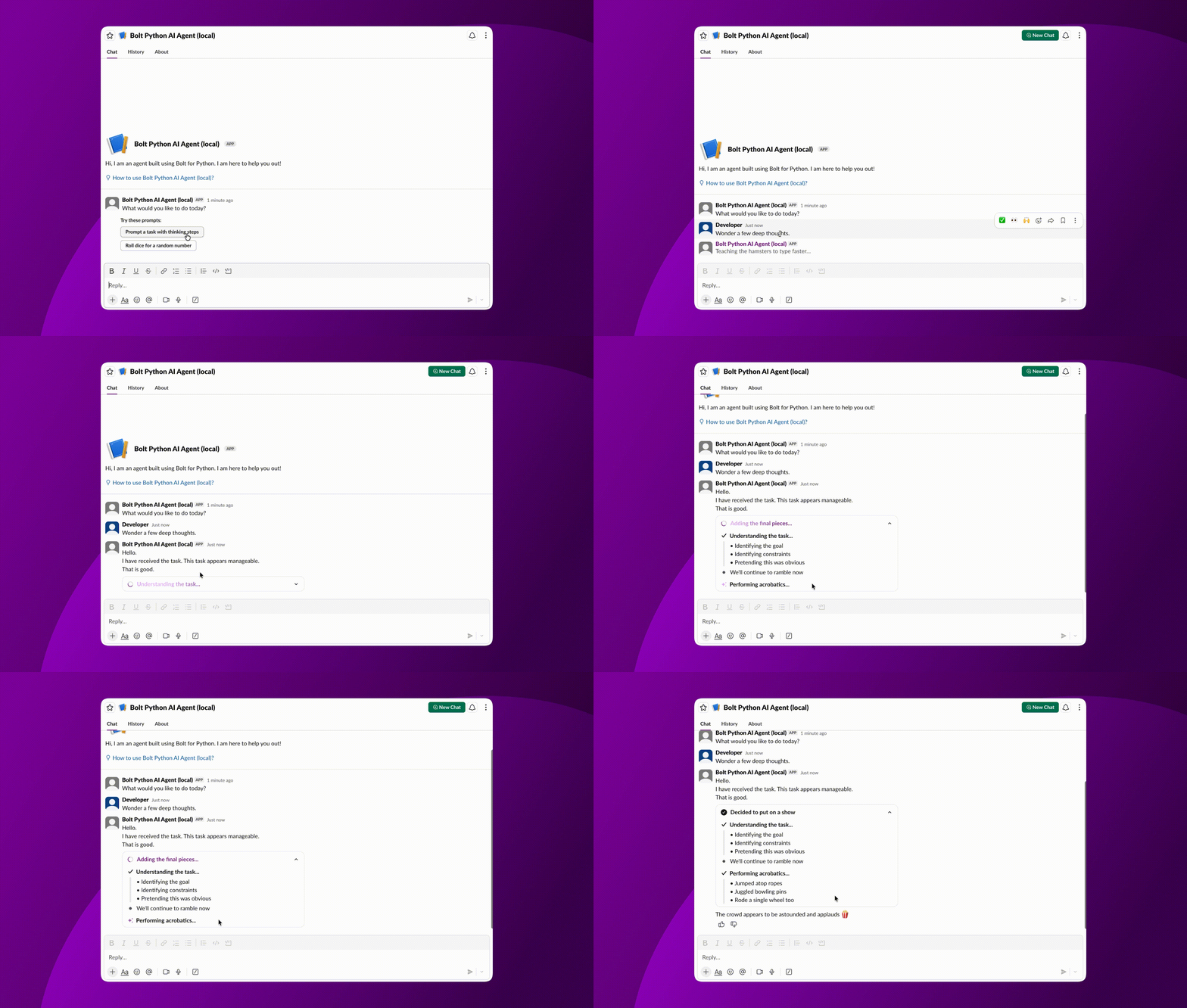
With the new Agent messaging experience, your agent now lives in the Messages tab, just like any other DM. One continuous conversation, threads where you expect them, and everything in a single place, much closer to how you already talk to teammates.
Threads now open automatically and carry real titles, making it easier to jump back into ongoing work. And agents show up more clearly across Slack as agents, not just another app surface.
It’s a simpler model, and it makes working with agents feel a lot more natural. If you already have a Slack app using the Assistant messaging experience, moving over is more straightforward than it might seem.
Get started
To opt into the Agent messaging experience, update your app manifest and replace assistant_view with agent_view:
"features": {

  "agent_view": {

    "agent_description": "Your agent description here"

  }

}
Prefer the UI? Open App Settings → Agents & AI Apps and switch your app to Agent App.
⚠️ This change is one-way. Once you switch to agent_view, you can’t revert. Users will also need to hard-refresh Slack to see the updated experience.
If your app is distributed via the Slack Marketplace, switching to the Agent messaging experience requires going through Marketplace review before the update is available to users. If your app is already listed, this will be handled as part of an update submission.
To use agent_view, make sure you’re on Slack CLI v4.4.0 or later.
- Python SDK v3.43.0 with Bolt Python v1.29.0
- @slack/web-api@7.18.0
New apps are automatically opted into the Agent messaging experience. Admins can enable or disable the Agent experience per app, and the client will respect that setting across Slack.
Update your event handling
With the Agent messaging experience, how interactions begin has changed. Instead of assistant_thread_started, you’ll rely on a few key events.
When a user opens a DM with your agent:
# Listen for app_home_opened with tab == "messages"

@app.event("app_home_opened")

def handle_home_opened(event, say):

    if event.get("tab") == "messages":

        # User opened the DM — initialize your agent here
When a user sends a message:
@app.event("message")

def handle_message(event, say):

    # Triggered by message.im

    say(thread_ts=event["ts"], text="Got it, working on it...")
When the user’s context changes:
@app.event("app_context_changed")

def handle_context(event):

    context = event.get("context", {})

    # entities include channels, canvases, lists — sorted by relevance score

    top_entity = sorted(

        context.get("entities", []),

        key=lambda x: x["score"],

        reverse=True

    )
The new app_context_changed event is especially powerful. It fires as users move between channels, canvases, and windows while your DM is open — giving your agent a real-time signal of what’s relevant. Use the score property to prioritize what matters most.
Rethink your suggested prompts
Suggested prompts now live at the top of the Messages tab, instead of inside threads. Think of them as onboarding prompts, a way to help users get started, rather than per-conversation nudges.
When agent_view is enabled, the thread_ts argument in assistant.threads.setSuggestedPrompts becomes optional. Sending new prompts replaces the existing ones:
client.assistant_threads_setSuggestedPrompts(

    channel_id="D012345",

    prompts=[

        {"title": "Summarize recent activity", "message": "What happened in #general this week?"},

        {"title": "Draft a status update", "message": "Help me write a project status for my team."}

    ]

    # thread_ts is now optional

)
Keep the thread open with setStatus
In the Agent messaging experience, calling assistant.threads.setStatus after a user message automatically opens the thread, keeping the conversation anchored in the Messages tab:
ones:
client.assistant_threads_setStatus(

    channel_id="D012345",

    thread_ts=event["thread_ts"],

    status="is thinking..."

)
Status messages time out after two minutes if no response is sent, so it’s best to call this early and follow up promptly.
What’s being deprecated
The Assistant messaging experience (assistant_view) will continue to work for existing apps, but it will be deprecated over time, and new apps can no longer use it.
Migration happens app by app, so you may still see the old experience in some apps until they’re updated.
If you haven’t migrated yet, this is a great moment to make the switch.
Why this matters
This update brings agent interactions into the same space where people already communicate in Slack. No extra tabs. No separate mental model. Just a conversation.
It means less friction for users, and fewer assumptions you have to design around as a developer.
Your agent doesn’t need a special interface anymore. It just needs to show up and do the job.